AI Smart Pages
Who this is for
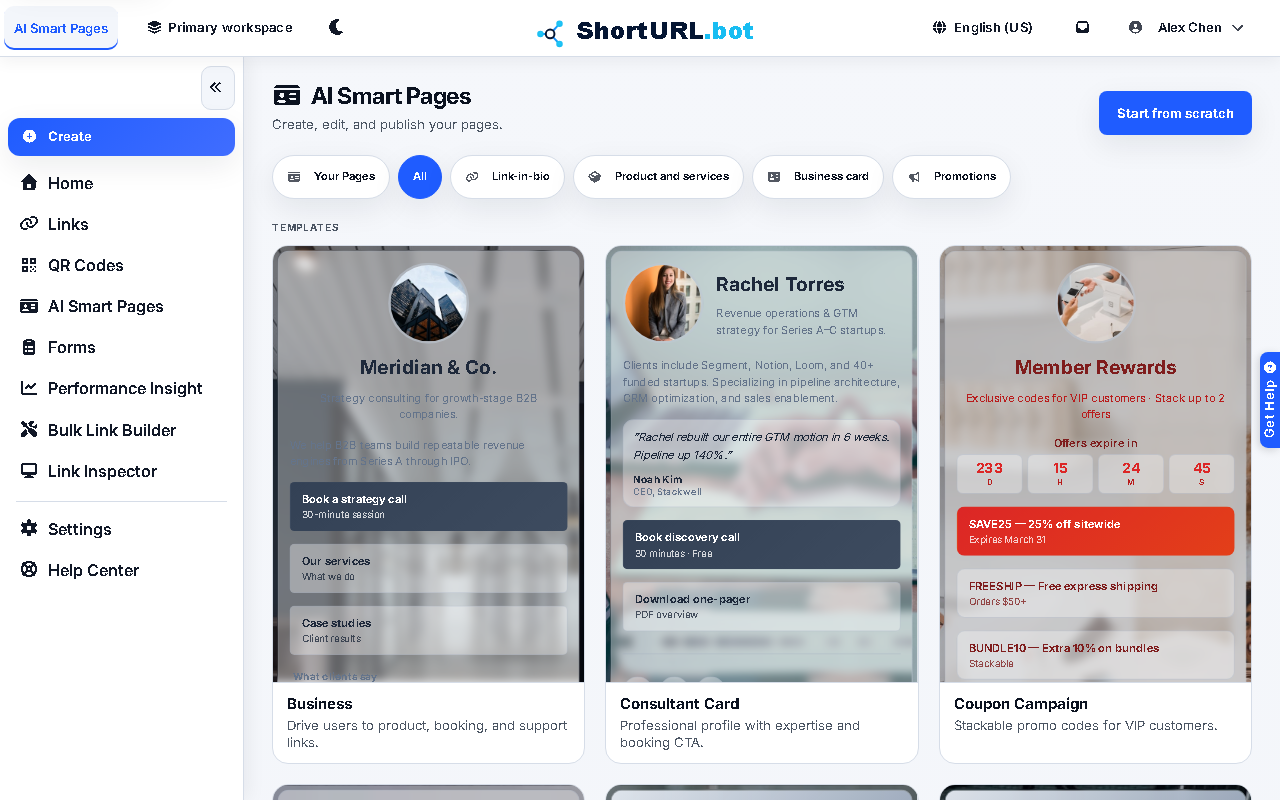
This page is for users who need a profile-style page, creator link hub, or lightweight campaign landing page connected to the same ShortURL workspace as their links, QR codes, and reporting.
Smart Pages are available within your plan's page quota. AI-assisted Smart Page drafting, generation, and related accelerators require Go or higher.
Before you start
- Sign in to the ShortURL app and open the correct workspace.
- Confirm the active plan has available page capacity before building a page, and confirm Go-or-higher access before relying on AI-assisted drafting.
- Decide the public handle, page purpose, primary calls to action, and the domain strategy before publishing.
- Use the current default domain or an active branded domain for new pages. Existing pages already published on
2s.ggcontinue to work, but2s.ggis legacy-only. - Prepare images, social links, destination URLs, and any copy that must be reviewed before going public.
What to do — Build and publish an AI Smart Page
- Open AI Smart Pages from the signed-in app sidebar.
- Choose a template or create a page, then set the page handle, title, profile information, and layout blocks.
- Add links, social items, cards, and styling choices that match the page purpose.
- Save the draft and publish only after you verify the preview and the page URL behavior.
- Use the AI copilot, page templates, and translation tools as accelerators when your plan includes them. Final review should still happen before a public launch.
What you can manage
- Page handle, title, profile copy, avatar, background, social links, cards, and button links.
- Draft, publish, unpublish, archive, and delete lifecycle actions.
- AI-assisted drafting and translation where the workspace plan includes AI Assist.
- Public page sharing from a hosted page URL after publishing.
Use it well — Smart Page quality tips
- Treat the AI output as a first draft. Review claims, links, tone, images, and translated text before publishing.
- Keep the handle stable once shared. If you need to change a live page, update the draft and preview it before publishing the new version.
- Use branded domains and short links consistently so the public page fits the same campaign strategy as your other ShortURL assets.