Smart Replace
Who this is for
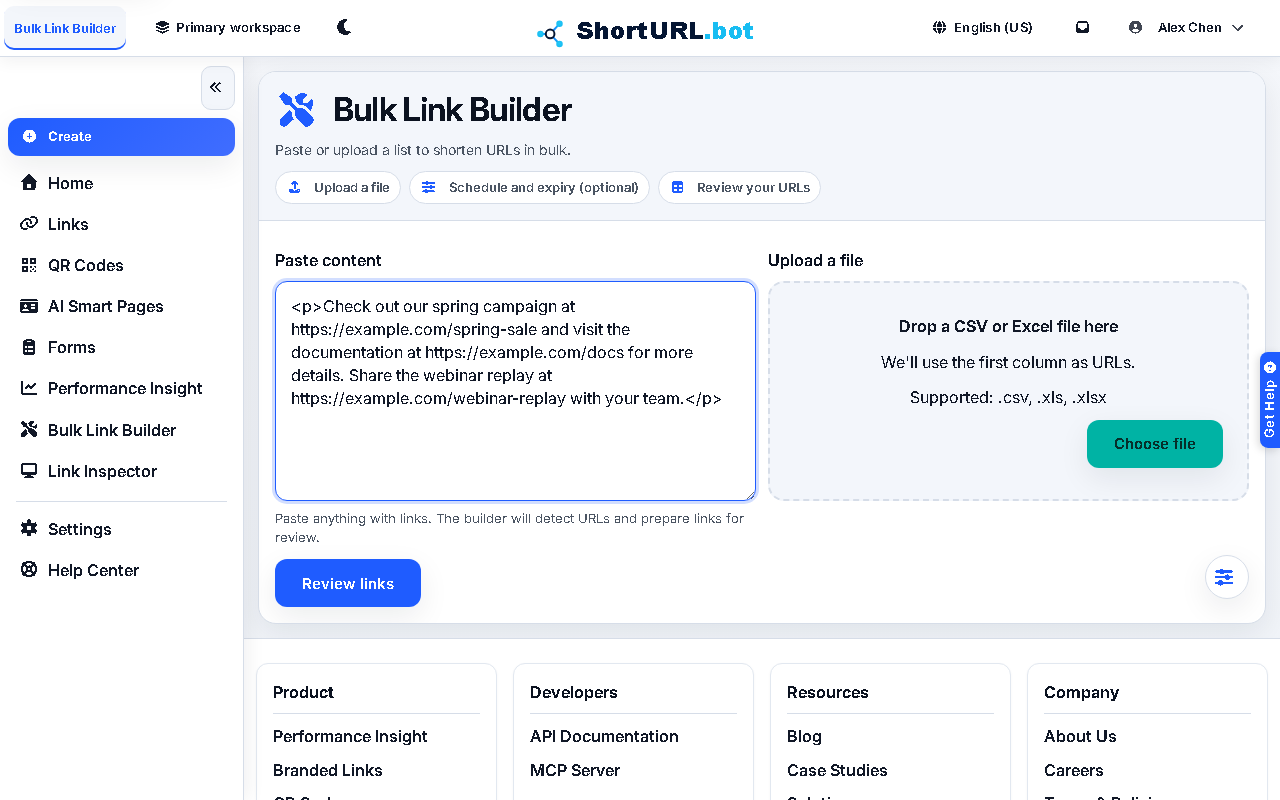
This page is for users handling email content, landing-page fragments, CMS exports, or pasted HTML where many existing URLs need to become trackable short links. Smart Replace activates automatically inside Bulk Link Builder (/app/bulk-link-builder) when you paste content that looks like prose or HTML rather than a plain URL list.
Before you start
- Bring the raw content you want to update.
- Decide which URLs should remain unchanged and which should become short links.
- Gather any shared defaults such as domain, UTM values, tags, or expiry settings.
- Use the current default domain or an active branded domain for replacements.
2s.ggis legacy-only and is not available for newly generated replacement links.
What to do — Replace URLs inside pasted content
- Open Bulk Link Builder (
/app/bulk-link-builder) and paste the content or raw HTML into the input area. Smart Replace mode activates automatically when the input looks like prose or markup rather than a list of URLs. - Let the tool detect URLs and review the extracted list carefully.
- Select the URLs you want to shorten and leave non-campaign URLs untouched.
- Configure the shared defaults for the replacement run.
- Create the links, inspect the replacement result, and copy or export the updated output.
Use it well — Content replacement best practices
- Treat detection as a review step, not an automatic approval step. A URL discovered in content is not automatically a URL you should shorten.
- Keep the original source nearby until you validate the updated content. Replacement workflows are faster, but they should still be reviewed before distribution.
- Use Smart Replace when the content already exists. Use Campaign Link Factory when you are building campaign rows from scratch.