API keys and audit visibility
Who this is for
This page is for admins and account owners who need to grant API access safely and keep an operational record of important changes.
API keys can be managed by eligible account admins, and API/MCP operations follow the same plan quotas and feature entitlements as the dashboard. Audit Log visibility and audit export are Premium and Enterprise capabilities.
Before you start
- Confirm that you have admin-level permission for the account.
- Decide whether the API key is for a temporary integration, a long-running workflow, or a handoff to another team.
- Confirm the active plan before depending on gated API fields or reporting modules. The public API also has a system-wide rate limit of 800 requests per IP per minute.
- Know which operational events matter most in your audit process.
What to do — Create API keys and review audit logs
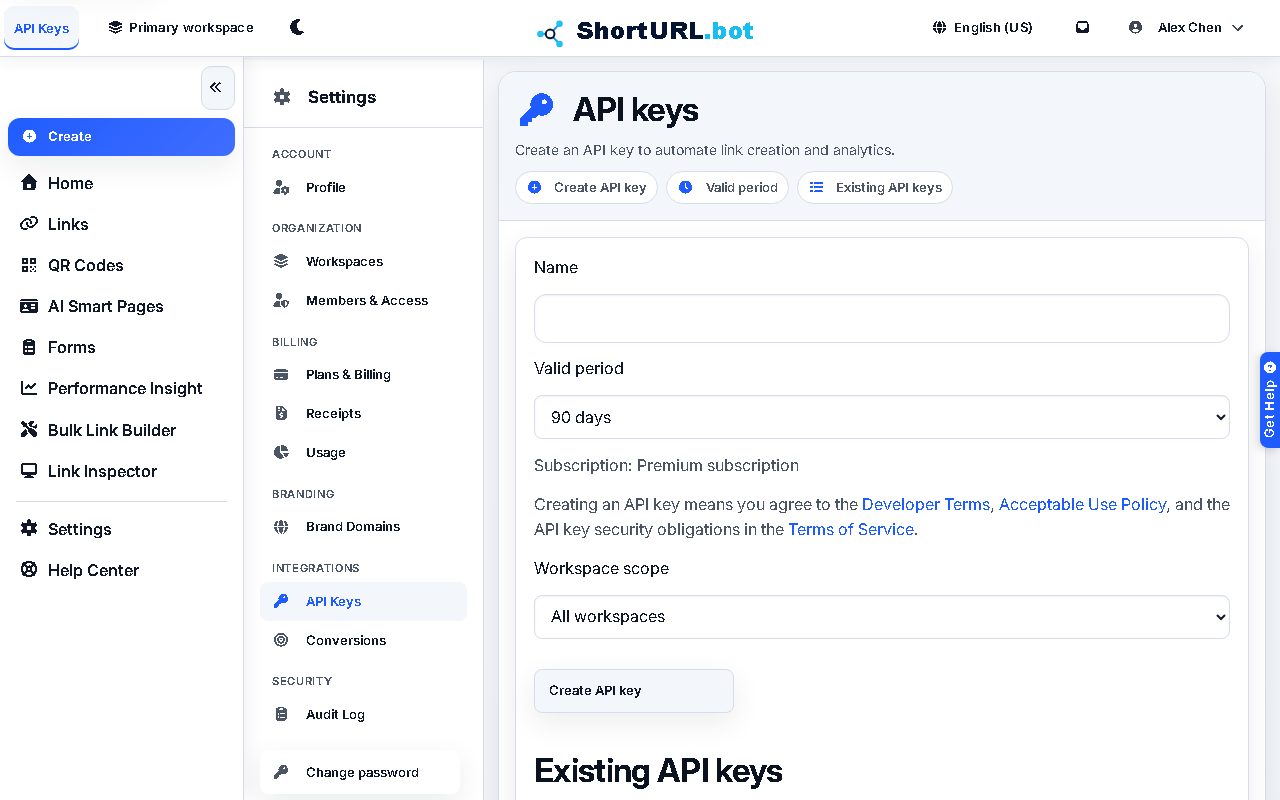
- Open Settings › Integrations › API Keys (
/app/settings/api-keys) and create a key only for a clearly defined use case. - Apply expiration or lifecycle expectations where possible instead of creating permanent unmanaged credentials.
- Copy the key into the target system immediately after creation. The key is displayed only once — it cannot be retrieved again after you close the dialog.
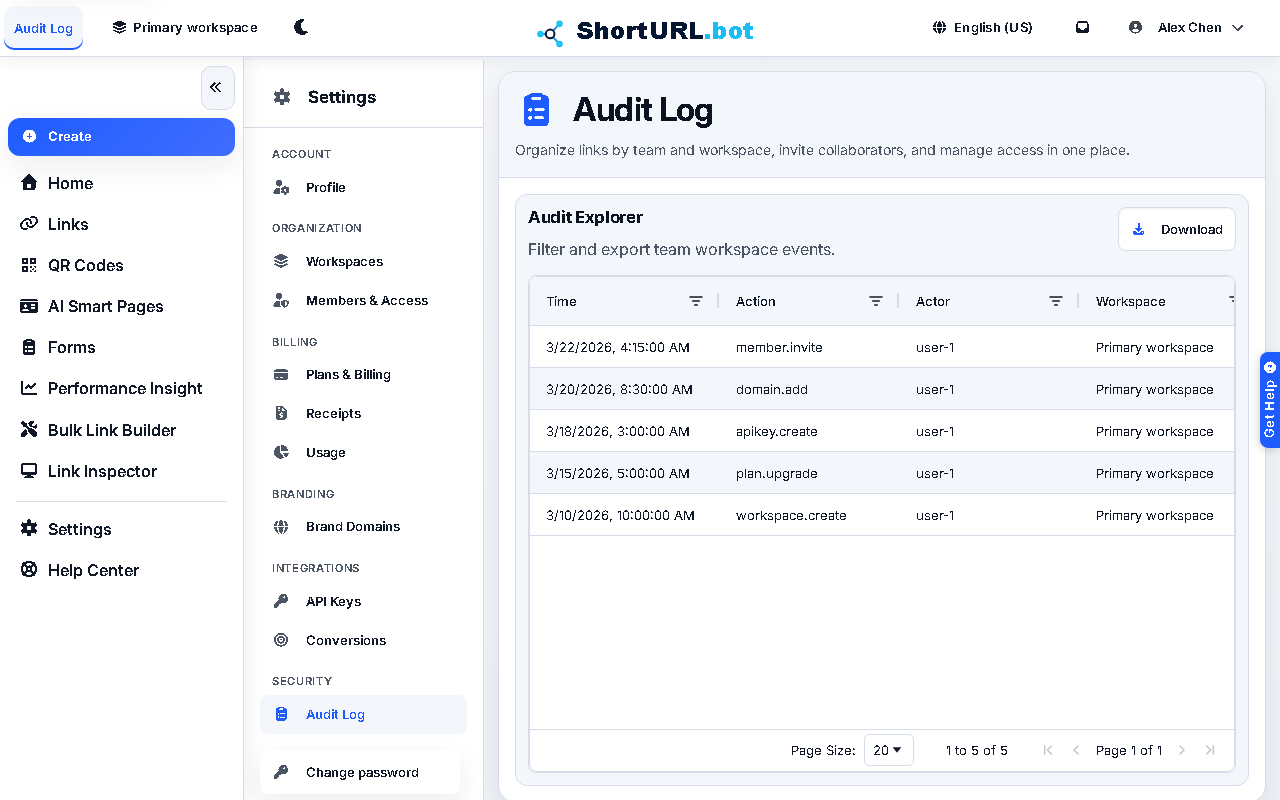
- Open Settings › Security › Audit Log (
/app/settings/audit) to review sensitive operational changes such as settings updates or administrative actions. - Revoke or rotate keys when a project ends, ownership changes, or you no longer trust the old access boundary.
Use it well — API key security best practices
- API keys are user-administered credentials, but implementation questions belong in the developer docs.
- Audit visibility is most useful when paired with a clear ownership model. If no one owns the review process, the data becomes passive instead of protective. Confirm Premium-or-Enterprise access before building an audit review process around the product view or export.
- Short-lived keys and explicit project naming reduce confusion during later investigations.