Usage and plan limits
Who this is for
This page is for account owners, admins, finance partners, and operators who need to know whether the current plan still fits active usage.
Before you start
- Know which workspace or account you are reviewing.
- Confirm whether your question is about current usage, future campaign load, or billing impact.
- Gather recent campaign plans if you are trying to forecast demand.
What to do — Check usage against plan limits
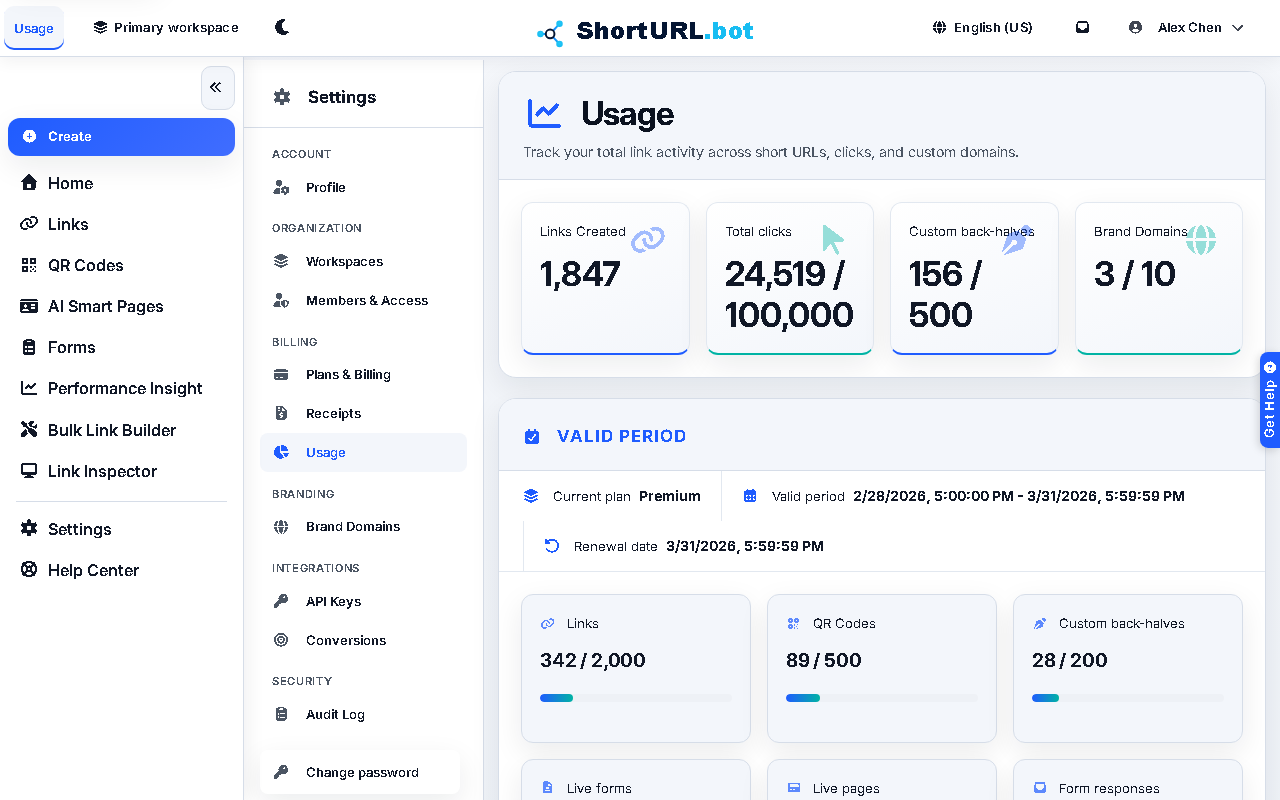
- Open Settings › Billing › Usage (
/app/settings/usage). - Review the tracked volume for links, QR codes, forms, conversion configs, domains, or related account activity.
- Compare the current numbers against the limits of the active plan.
- If usage is approaching the limit, decide whether to change behavior, clean up the workflow, or upgrade the plan before the next launch.
- Coordinate billing changes with the billing and profile guide when an account-level adjustment is required.
Use it well — Usage planning best practices
- Do not wait for a hard limit event during a live campaign. Use the usage view as a planning input before a launch, not only as a post-event report.
- Keep usage reviews tied to real campaign calendars. Limits are easier to manage when they are discussed in operational time, not only in billing time.
- When a user asks for “why can’t I create more right now?”, usage and billing should be checked together.
- API and MCP usage follows the same subscription quotas and feature entitlements as the dashboard. The public API also has a system-wide rate limit of 800 requests per IP per minute.
Feature availability reference
- Link controls: Free includes creation with custom back-halves, tags, and UTM; Go adds status control; Plus and higher add destination updates, scheduling, expiry, after-expiry redirects, password protection, and list export.
- QR controls: Free includes PNG export, tags, and UTM; Go adds custom styling plus JPEG/SVG export; Plus and higher add destination updates, lifecycle controls, and QR list export.
- Performance Insight: Free keeps 30 days of history; Go starts the KPI dashboard; Plus adds overview, channel mix, top assets, campaign performance, and asset downloads; Pro adds geography, device, best-time, diagnostics, and click-detail views; Premium adds full click-detail export with user-agent information and masked visitor IP.
- Team and admin: workspace limits exist on every plan, Members & Access starts on Plus, and Audit Log view/export is Premium and Enterprise.
Plan limit reference
- Link creation per billing period: Free 60, Go 300, Plus 1,500, Pro 3,000, Premium 20,000, Enterprise custom.
- QR creation per billing period: Free 10, Go 150, Plus 750, Pro 1,500, Premium 5,000, Enterprise custom.
- Live published forms: Free 1, Go 3, Plus 10, Pro 25, Premium 100, Enterprise custom.
- Form responses per billing period: Free 250, Go 2,000, Plus 5,000, Pro 25,000, Premium 100,000, Enterprise custom. Response intake includes a grace band before hard stop.
- Active conversion configs: Free 0, Go 0, Plus 3, Pro 10, Premium 50, Enterprise custom.
- Conversion events per billing period: Free 0, Go 0, Plus 5,000, Pro 50,000, Premium 250,000, Enterprise custom.
- Custom-domain slots: Free 1, Go 2, Plus 5, Pro 20, Premium 100, Enterprise custom. Active complimentary custom domains also consume custom-domain slots.
- Workspaces and seats: Free 1, Go 1, Plus 3, Pro 10, Premium 30, Enterprise custom.
- Performance Insight retention: Free 30 days, Go 60 days, Plus 365 days, Pro 730 days, Premium 1,900 days, Enterprise custom.