Get help and contact support
Who this is for
This page is for users who need help choosing the right documentation path or contacting ShortURL support with enough detail to resolve an issue.
Before you start
- Decide whether your question is about using the product, integrating with the API, billing, or a possible incident.
- Gather the short link, QR code, form, Smart Page, workspace name, timestamps, browser, screenshots, and any error text that applies.
- Avoid sending API keys, passwords, payment card details, or private customer data in the message body.
What to do - Use Help Center
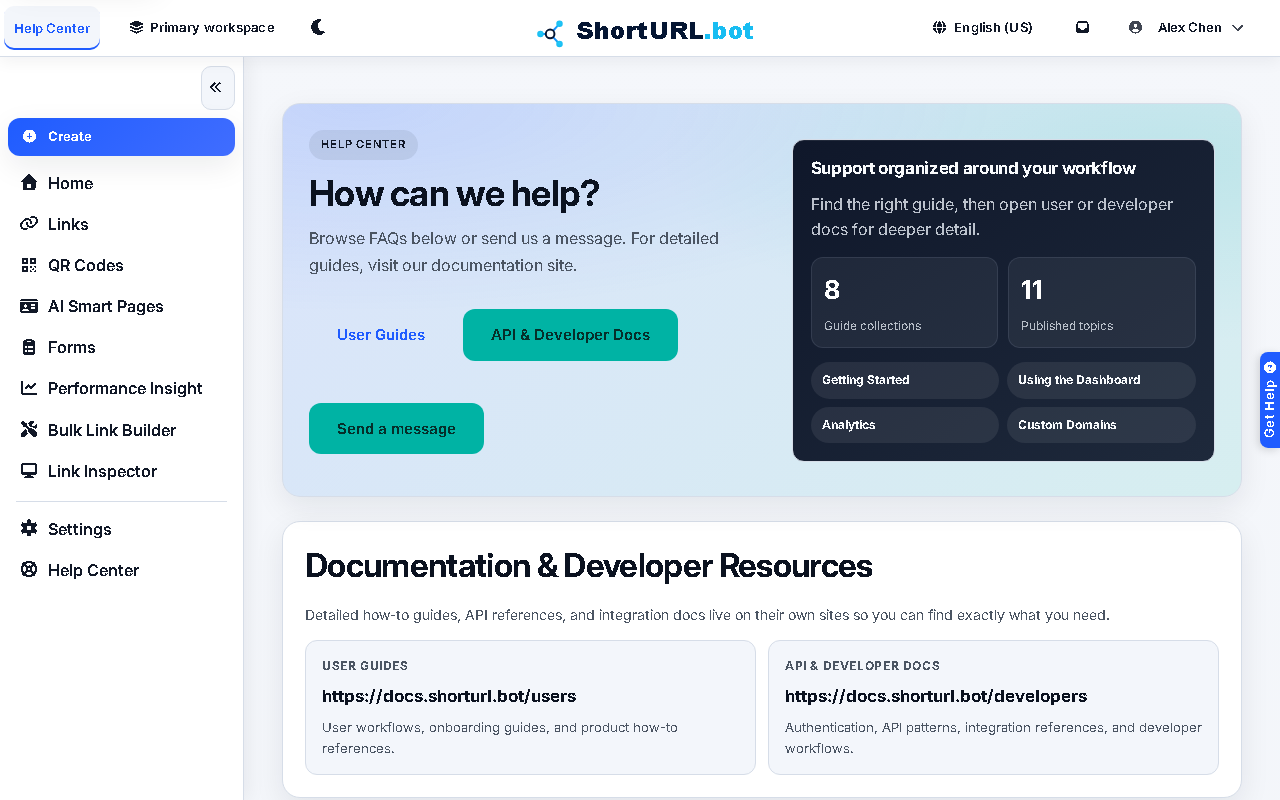
- Open Help Center from the signed-in app sidebar or the public help page.
- Use the article cards for common product tasks and troubleshooting paths.
- Open the user docs for workflow questions such as links, QR codes, forms, domains, billing, or team administration.
- Open the developer docs when the question is about API calls, MCP, automation, or implementation details.
- Use the contact form when the docs do not resolve the issue. Include the product area, what you tried, what happened, and the details support needs to reproduce or investigate.
Use it well
- Use Troubleshooting first for common link, QR, sign-in, domain, analytics, and billing questions.
- Use Service status when you need to separate an account-specific issue from a broader incident.
- For abuse, unsafe content, or suspected account compromise, include the exact public URL and why it is risky.
- For billing questions, include the subscription name, receipt reference, date, amount, and the account email used to sign in.